

- Complete observability of agent steps, tool use, and interactions
- Built-in reliability with fallbacks, retries, and load balancing
- Cost tracking and optimization
- Access to 1600+ LLMs through a single integration
- Guardrails for safe, compliant agent behavior
CrewAI Documentation
Learn more about CrewAI’s core concepts
Quick Start
Add provider in Model Catalog
Go to Model Catalog → Add Provider. Select your provider (OpenAI, Anthropic, etc.), enter API keys, and name it (e.g.,
openai-prod).Your provider slug is @openai-prod.Get Portkey API Key
Create an API key at app.portkey.ai/api-keys.Pro tip: Attach a default config for fallbacks, caching, and guardrails—applies automatically.
Production Features
Observability
All agent interactions are automatically logged: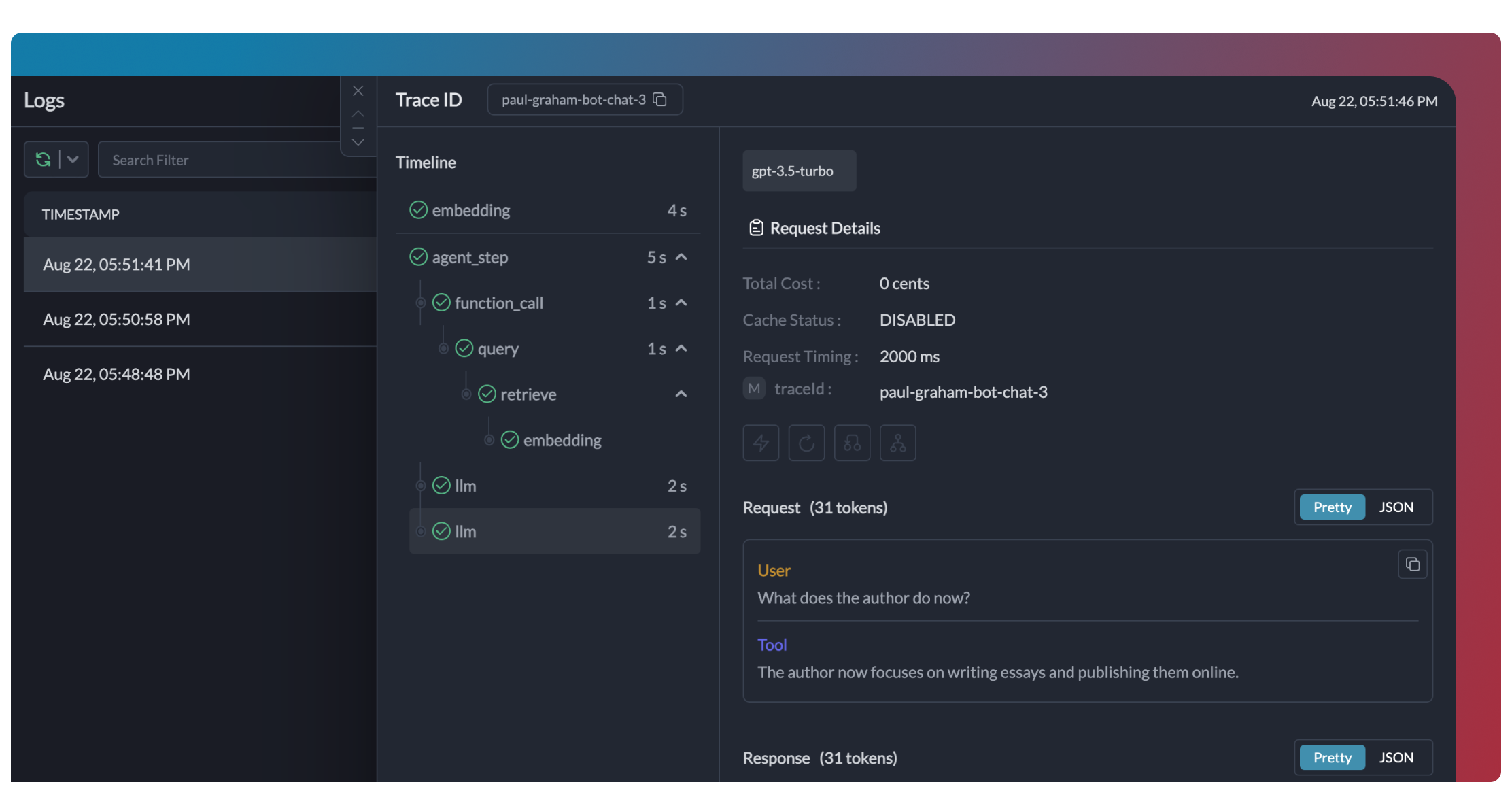
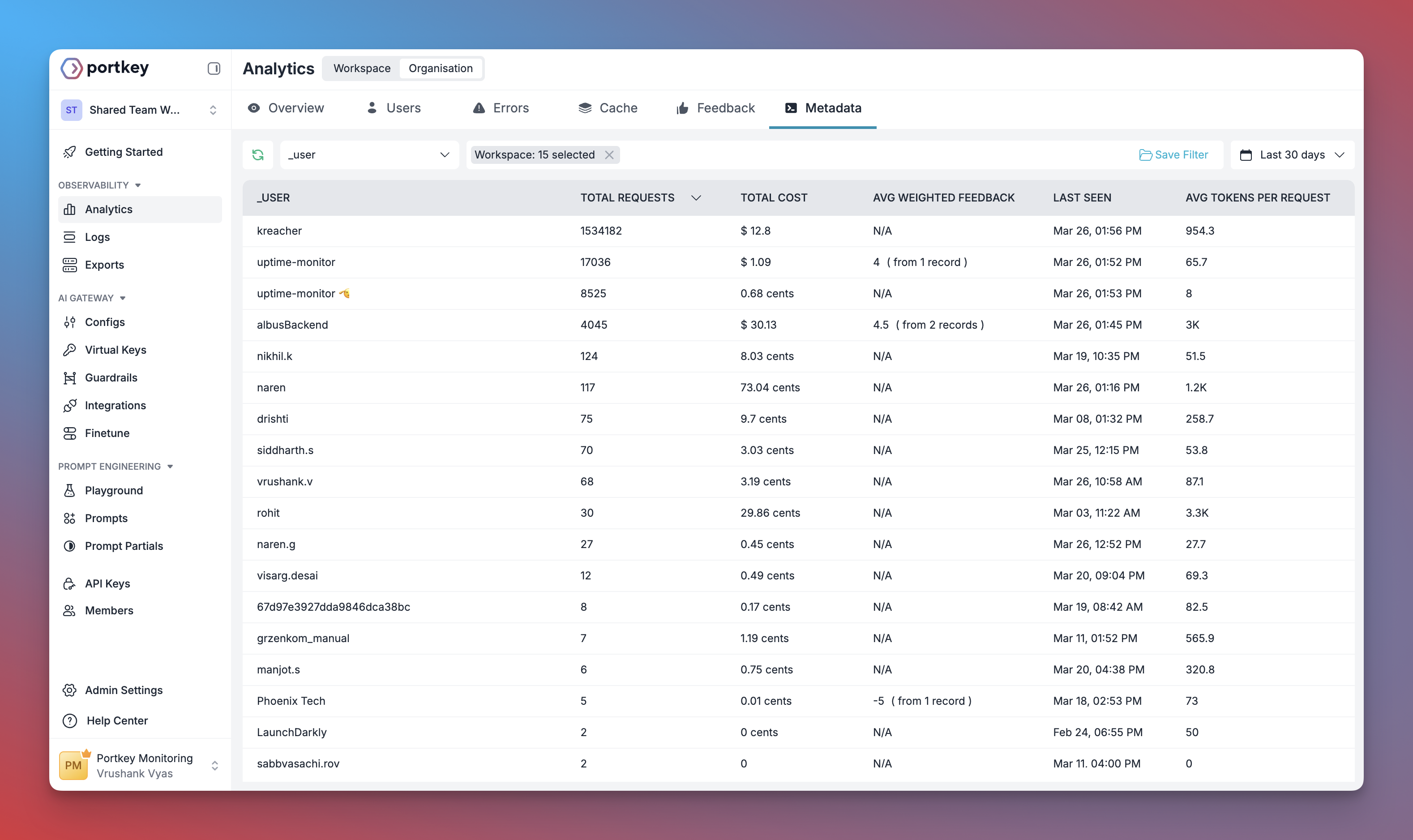
Reliability
Enable fallbacks, retries, and load balancing via Configs. Attach to your API key or pass inline:Automatic Retries
Handles temporary failures automatically
Request Timeouts
Prevent agents from hanging
Conditional Routing
Route requests based on custom logic
Load Balancing
Distribute across multiple keys
Guardrails
Add input/output validation:- Detect and redact PII
- Filter harmful content
- Validate response formats
- Apply custom business rules
Guardrails Guide
PII detection, content filtering, and custom rules
Caching
Reduce costs with response caching:Switching Providers
Change the provider to switch models:model in the LLM to match the provider’s model format.
Prompt Templates
Use Portkey’s prompt management for versioned, templated prompts:Prompt Engineering Studio
Prompt versioning and collaboration
Enterprise Governance
Set up centralized control for CrewAI across your organization.Add Provider with Budget
Go to Model Catalog → Add Provider. Set budget limits and rate limits per provider.
Create Config
Create Team API Keys
Go to API Keys. Create keys per team, attach configs, and set permissions.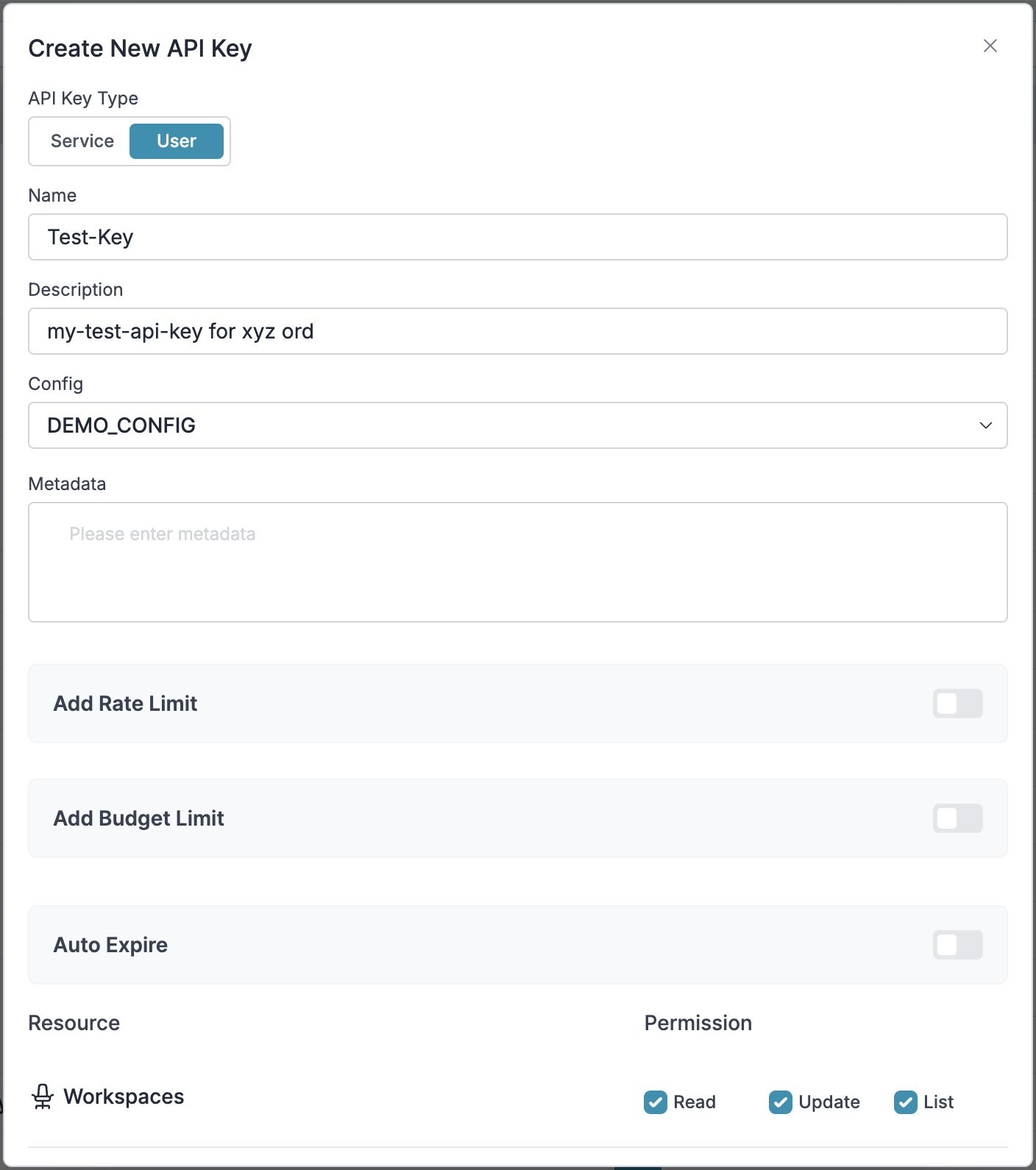
- Rotate provider keys without code changes
- Per-team budgets and rate limits
- Centralized usage analytics
- Instant access revocation
Enterprise Features
Governance, security, and compliance
FAQ
Can I use Portkey with existing CrewAI apps?
Can I use Portkey with existing CrewAI apps?
Yes. Update your LLM configuration—agent and crew code stays unchanged.
Does Portkey work with all CrewAI features?
Does Portkey work with all CrewAI features?
Yes. Agents, tools, human-in-the-loop, sequential/hierarchical processes all work.
Can I track multiple agents in a crew?
Can I track multiple agents in a crew?
Use a consistent
trace_id across agents to see the full workflow in one trace.Can I use my own API keys?
Can I use my own API keys?
Yes. Portkey stores your provider keys securely. Rotate keys without code changes.